Project Ace
Keywords
Background Context
I wanted to learn how to write my own multiplayer netcode games. In order to keep within reasonable scope where I can finish making a game from start to finish, I kept the scope small on purpose. While thinking about different game ideas that interest me and felt like a challenge, I ended up creating Project Ace which is a card game designed by my younger brother based on the card game: Uno! The goal of the game is to get rid of your hand first among 4 players max. The twist that was added into the game was players can play combo hands where they can get rid of more than 1 card per turn.
For example, if player A plays an King of Hearts which is worth 13 points and player B didn’t have any hearts or any kings, they can play a 4 of spades, 6 of spades, and a 3 of spades from their hand which all add up to 13 to get rid of 3 cards instead of 1 in a single turn. The restriction of playing combo cards is that the cards played in sequence must all be the same suit and must add up to the face up cards total value.
Tech Stack I used
- Unity C# 2019 - I wanted to focus on writing the game mechanics in a well established game engine with lots of documentation and youtube tutorials available.
- Mirror Networking Library - Instead of rolling out my own netcode solution, I used Mirror as it allowed me to learn how to write netcode while focusing on the game mechanics of my game AND gave me control on how I can host my game. I looked into other 3rd party solutions like Photon but wanted the ability to self-host my games if needed which Photon didn’t have available as easily as Mirror at the time I build the game.
- DOTween - to animate card movement and UI elements such as the radial timer on the player’s avatar pulsating
- LINQ - one example includes filtering out a card to remove from a player’s hand
hand.Where(h => h.card.Equals(card)).FirstOrDefault();
Approximate Completion Time
- 6 to 7 months
- Before LLMs were a thing.
- For context, I had a full-time SWE job where I would code during day job and code some more after work to complete this game where I would spend roughly anywhere between 1 to 4 hours on the game. I would spend a bit more time on weekends developing the game which involved reading lots of Mirror or Unity Documentation or watching technical youtube videos on the subject matter.
What challenges did I run into?
Getting the game client to run on itch.io as a WebGL build:
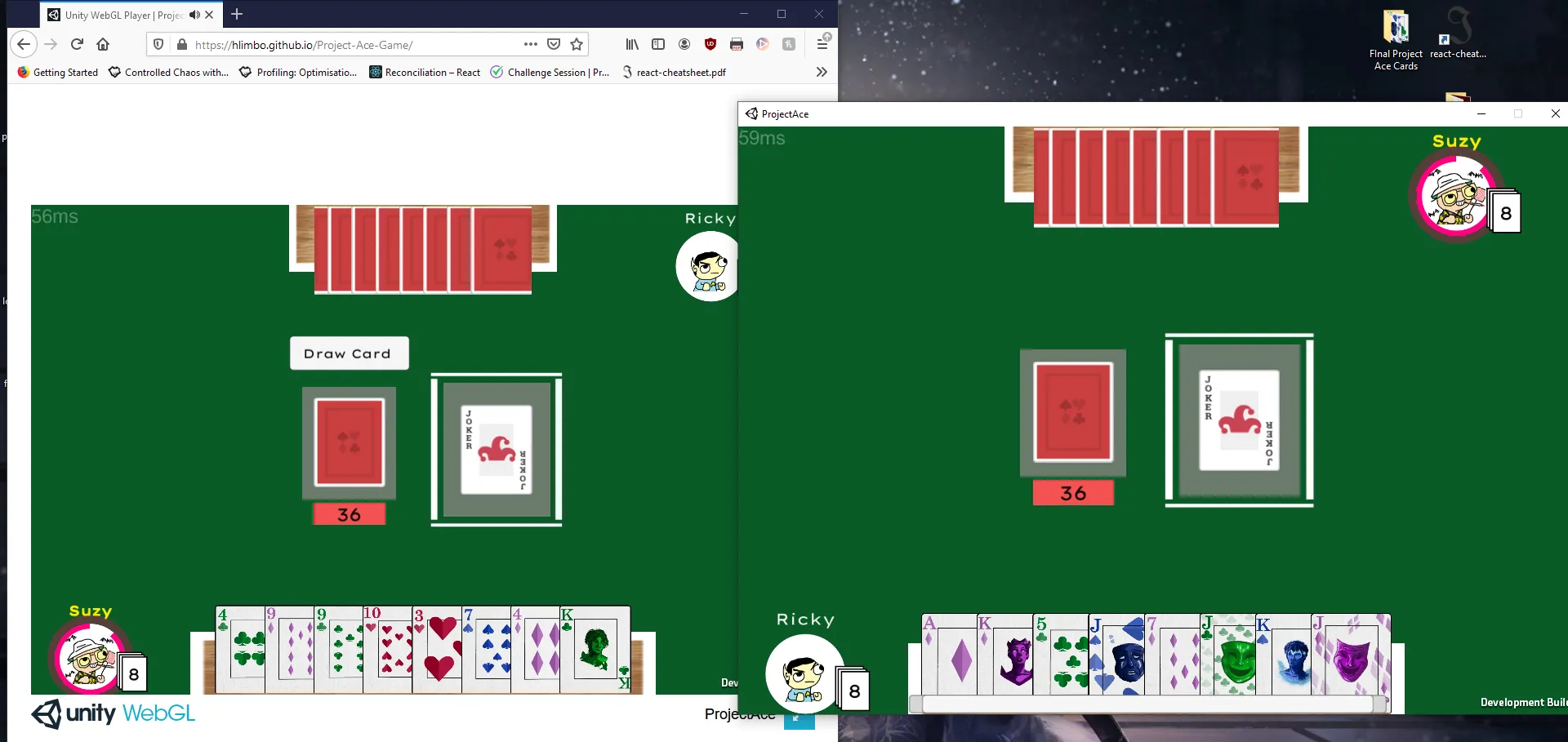
- I originally wanted to self host the game client on my old portfolio website through github pages but found out there isn’t much support at that time to have game running on there directly. I ended up using itch.io to host the games I built and also ran into more connectivity issues where the game client failed to connect to the game server.
- I looked through the Unity Mirror Discord group to see if people ran into a similar issue I did. After using
ctrl + fto search for keywords relating to my issue I found out these requirements I needed:- A Unity Linux Headless Server build for Project Ace
- purchase a webdomain name url using namecheap.com
- purchase a DigitalOcean droplet to run the headless server build on Linux
- Game Client needs to use secure websockets to support https as itch.io runs on https and use tls 12.
- Once I had all setup, I was able to get players to join my multiplayer online game using
project-ace-ser.com:7778whereproject-ace-ser.comis the server url and theport numberis7778.
Learning about Mirror Networking Library and Netcode Fundamentals
Some Topics include:
- server vs client side code
- RPCs - Remote Procedural Calls (server making a request to a specific client to run code on the client side)
- Command - making a request on the client to run some code on the server side
- syncing object instantiation among all connected clients on the server
- learning the difference between Unity’s
Instantiate()function and Mirror’sNetworkServer.Spawn()function (single player instantiation vs multiplayer network instantiation)
- learning the difference between Unity’s
- assigning client authority to unity components via the
NetworkServer.Spawn()function - what’s a SyncList and a Sync Var?
- Mirror NetworkManager Callback Functions which are all based on the Observer Pattern
Cards Flickering when being drawn from the pile, dragged around, or when cards clump together not respecting spacing provided in the UI Layout:
- For cards flickering whenever you interact with them, I used the LayoutElement.ignoreLayout property. When I set
Layout.ignoreLayouttotrue, its when the card is being dragged out of the player’s hand. When I setLayout.ignoreLayouttofalse, its when the card goes back to the player’s hand perserving the player’s card order. - For cards clumping, I used the function LayoutRebuilder.MarkLayoutForRebuild(RectTransform rectTransform). This rebuilds the layout of a player’s hand in the event a card gets added, removed, or reordered.
- Using a combination of
Layout.ignoreLayoutandLayoutRebuilder.MarkLayoutForRebuild(RectTransform rectTransform), I was able to achieve cards not flickering or causing layout issues which helps out with the game’s overall presentation and UX.
Handling Edge Cases:
One example includes when a player disconnects from a game. Some questions I asked were:
- What happens to the cards the player had when they disconnect?
- What happens if it was the player’s current turn as they disconnect?
- What happens if all players disconnect?
With Unity Mirror Networking Library, I was able to solve these issues thanks to the callback function OnServerDisconnect() which gets called whenever a client disconnects from the server. For question 1, I would return the cards back to the dealer game object’s hand ensuring the player didn’t take the cards as they left the game. For question 2, I would pick the next avaiable client in the game using NetworkServer.connections.
NetworkServer.connectionsis a dictionary that Mirror provides on the server whose key is theconnectionIdof the client connected and valueNetworkConnectionToClientwhich acts like a handle to the client object instance connected to the game server.
For question 3, since the game’s scope to only have 1 lobby, I would manually reset the server on the DigitalOcean droplet. A better way to engineer this is to possibly create some infrastructure that allows the server to reset itself when no players are present in the lobby. This would be something I revisit for future online multiplayer games I make.
Outcomes
- I was able to get the single player and multiplayer game modes running and operational
- As a fun fact, I was able to get a friend who was living in South Korea to playtest my game and he didn’t run into too many issues and was able to play through the end. The server was hosted in
us-westregion for reference so the ping times for him may be higher.
What did I learn?
- Instead of the player typing in the server url and port number, the game should have it hardcoded as I only have 1 server and 1 room setup. This would help alleviate initial player UX as it would allow them to jump into the game without too much friction in place.
- Revisit card drag and drop functionality
- instead of deleting the card and spawning a new one when it is dropped on the face up pile, the card should only need to spawn once.
- Aim to document my progress daily no matter how big or small the update is… this is mostly for me to help recall what I did if I decide to revisit a project I made from the past
- I have a lot of outdated or commented out scripts in the project that I should have deleted to prevent my future self or anyone looking at the project from being confused.
The rest are polish items to make the game feel more like a game:
- Add VFX as to when a person drops a card on top of the pile
- Add text animations as the number of cards either go up or down for a player
- Pick a better looking font
Game Features
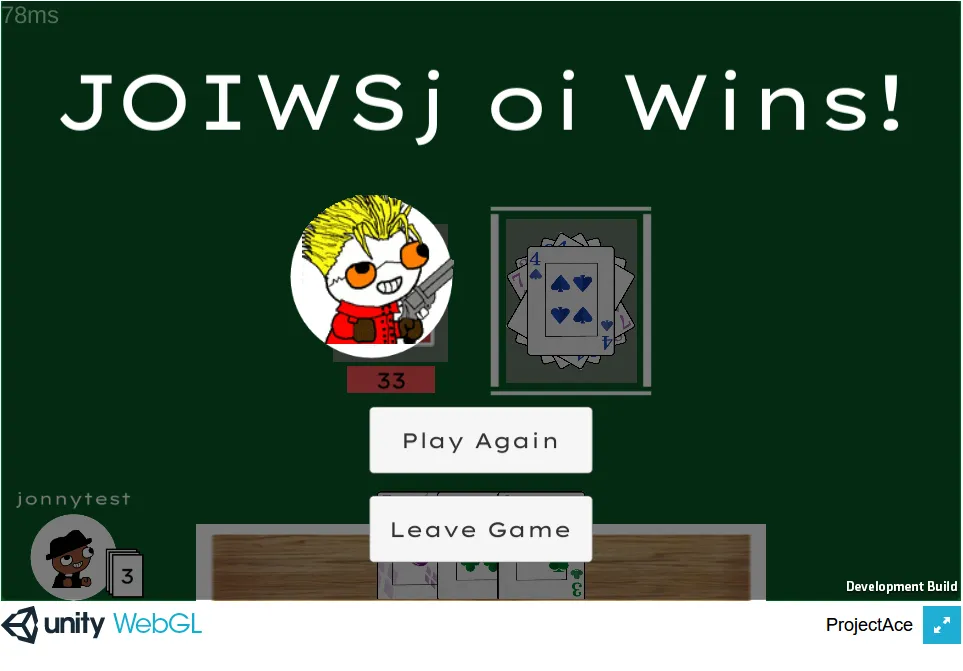
- Card Drag and Drop System
- Card Overflow UI using horizontal scrollbar that allows a player to view all their cards in the event they held too many in their hand
- Lobby System where players can ready up and view the game rules and test out the controls while waiting
- Card Animations for drawing a card or when an opponent places a card on the face-up pile
- Server-Side logic for determining a player’s turn, win conditions, and maintaining data about the current hand each player has
- Headless Server Build Support using Linux server
- Single Player Mode
- Multiplatform support - game client supports Windows, Mac, and Web
Game Credits
- Card Flip by f4ngy — https://freesound.org/s/240776/ — License: Attribution 4.0
- Dealing Card by f4ngy — https://freesound.org/s/240777/ — License: Attribution 4.0
- Kenney Casino Audio Pack — https://kenney.nl/assets/casino-audio — https://creativecommons.org/publicdomain/zero/1.0/
- Kenney Voiceover Pack — https://kenney.nl/assets/voiceover-pack — https://creativecommons.org/publicdomain/zero/1.0/
- Kenney Board Game Pack — https://www.kenney.nl/assets/boardgame-pack — https://creativecommons.org/publicdomain/zero/1.0/
- “Full Hand”, from PlayOnLoop.com — https://creativecommons.org/licenses/by/4.0/
- Meme Avatar Images
- Special Thanks to my Sister for making the card art excluding the Joker and Face Down Cards